What's Included

AI automation for business, built inside your accounts

Speed is the difference between a booked meeting and a lost sale. Your forms, chat and WhatsApp get wired into a single flow so qualified leads book a call, request a proposal, or get routed instantly — with no manual sorting in between.

Bots handle triage and FAQs; your team gets alerted the moment a buyer is warm. Everything runs in your own tools, documented, with clean admin access handed over. No dependency on us to keep it running.

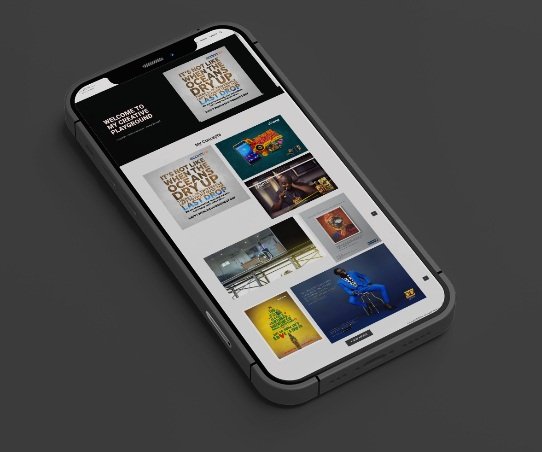
Mobile interface for an automated lead capture and chat flow
Automated lead capture
Scope & Deliverables

Core scope

Every deliverable is tested against real buyer journeys and engineered for maximum durability and ROI.

WhatsApp lead capture: Click-to-WhatsApp with auto-greeting, intent tagging and a booking link — converts ad clicks into qualified conversations.
Lead routing & assignment: Route by service type, budget or urgency without manual sorting, so the right lead reaches the right person instantly.
Follow-up sequences: No reply in 24 hours? Auto-reminder. Meeting booked? Prep brief and confirmations sent automatically.
CRM enrichment & dedupe: Normalised names and emails, deduplicated records, and a pipeline that stays clean with zero manual effort.
Our Work Process

How an automation build runs

We start with the two or three flows that pay for the project, then expand.

01

Discover

We audit your current stack and bottlenecks, then pick the automations with the highest return to build first.

02

Design & build

Flow charts, routing logic, messages and edge cases — approved by you, then implemented inside your own tools.

03

Test & hand over

Dry runs, monitoring and fallbacks. Go live, observe for a week, refine — then a documented handover you own.

Execution Modules

The four-phase automation process

Nothing goes live until you have seen the full system on paper and approved it.

  1. Discover

    We audit your current stack and bottlenecks. We pick the 2–3 automations with the highest ROI first.

  2. Design

    Flow charts, routing logic, messages, and edge cases. You approve the full system before we build.

  3. Build

    We implement inside your tools — CRM, WhatsApp, email, webhooks. Tracking and alerts included.

  4. Test & Launch

    Dry runs, monitoring, fallbacks. Go live, observe, refine in week one. Handover follows.

Modern Technology Stack & Infrastructure We Work In

Make / Zapiern8nWebhooksWhatsApp Cloud APITwilioHubSpotZohoPipedriveAirtableGoogle CalendarGA4Looker Studio

Automations we have built

Working workflows, not slideware.

Two automations we designed and built ourselves. Each one is labelled for what it is, so you know exactly what you are looking at.

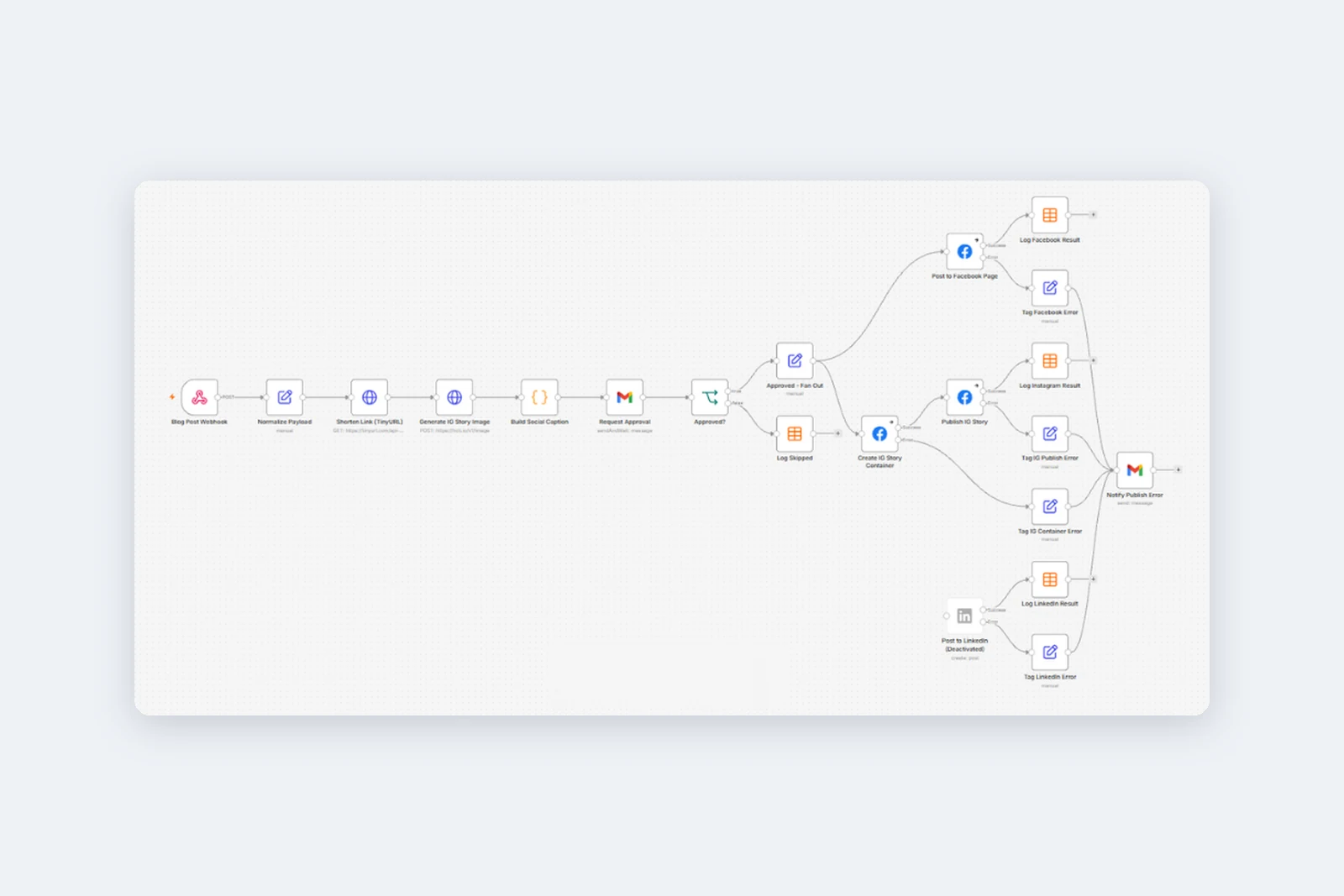
Workflow diagram: a blog post webhook feeds link shortening, story image generation, caption building and an approval email, then fans out to Facebook, Instagram and LinkedIn with result logging and error alerts

In-house build for Rangemax Tech's own blog

Blog-to-Social Announcement Workflow

Publishing a blog post triggers its whole announcement: a shortened link, a generated Instagram story and a caption, sent for approval and then posted to Facebook and Instagram.

  • One publish prepares everything: shortened link, story image and caption.
  • A person approves by email before anything goes public. Declined posts are logged as skipped.
  • Approved posts go to the Facebook Page and Instagram Story, with each result logged.
  • Errors are tagged per channel and emailed to the team, so nothing fails silently.

Built with WebhookGmailFacebookInstagramTinyURL

Workflow diagram: a new row in the applications sheet triggers a confirmation email, an HR notification and an experience check that routes to an interview invitation or an on-file email

Working demo, tested with sample applicants

Job Application Tracker

Each new application triggers a confirmation to the candidate and an alert to HR, then routes the candidate to an interview invitation or a holding email based on experience.

  • The confirmation and HR alert go out within about a minute of a new row.
  • An experience threshold sorts each candidate into shortlist or on-file with no manual triage.
  • The sheet status updates itself, and the right email follows: an interview invitation or a holding message.
  • Demonstrated end to end with sample applicants for a warehouse role and a logistics role.

Built with Google SheetsGmail

Answers

AI automation questions we get asked most

Can you build a WhatsApp bot that books meetings?

Yes. We set up a branded assistant that greets leads, qualifies with short questions, and shares a booking link. High-intent chats can alert your team instantly.

Will this work with my existing CRM?

Yes. We support HubSpot, Zoho, Pipedrive, Notion, and Airtable. We map fields, stages, owners, and routing rules to keep your data clean from day one.

Does this replace my team?

No. Automation handles repetitive triage so your team focuses on conversations and closing. Bots handle the sorting; humans handle the nuance.

What about data privacy and security?

We keep automations inside your own accounts where possible, use least-privilege API keys, and document exactly what data is stored and why.

How fast can we launch AI automation?

A starter build goes live in 1–2 weeks. Larger suites take 3–5 weeks depending on tools, approvals, and complexity.

Who owns the system after launch?

You do. We hand over flow diagrams, admin access notes, and Loom walkthroughs so your team can run and maintain everything independently.

5.0 on Google · 5 reviews

Retained by TravelCentrics, BeeCube, Benatured Geotechs, The Bermondsey Hotel and Set Prop'ly.

Start small, then add what's next

Fixed prices, quoted before work starts. Not sure which fits? Run the free Website Grader first.

The Next Step

See where your leads are falling through

We'll map your current enquiry flow and show you exactly where leads go cold — then what to automate first for the fastest return. No cost, no obligation.

Talk to our team